Unleashing React.js
Exploring ReactJS to elevate the quality of user interfaces.

A CSE sophomore from IIT Mandi
Introduction
React.js is a JavaScript library – the engine behind modern, dynamic user interfaces.
It is used to create modular user interfaces and promotes the development of reusable UI components that display dynamic data.
How does React work ?
React utilizes a virtual DOM stored in memory to optimize updates to the browser's DOM. The virtual DOM strategically determines the most efficient approach for updating the browser's DOM.
Setting Up a React Project
Prerequisites: Install Node.js and npm
Create React App
Create React App is a comfortable environment for learning React, and is the best way to start building a new single-page application in React.
npx create-react-app myApp
cd myApp
npm run start
Under the hood, create-react-app uses babel and webpack.
React Bundler - Vite
Vite is a build tool that aims to provide a faster and leaner development experience for modern web projects.
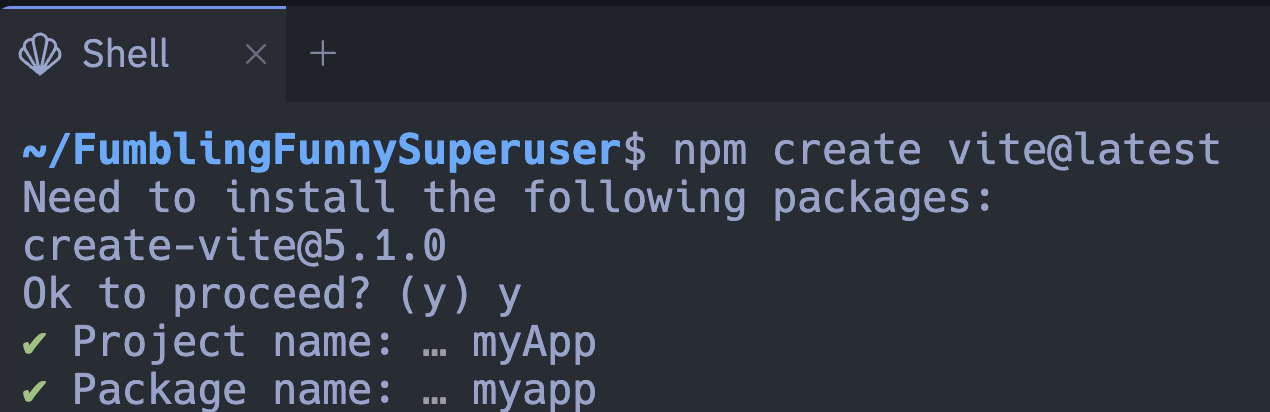
Run the following commands to set up react project using vite:
npm create vite@latestProvide a project name of your choice, eg: myApp
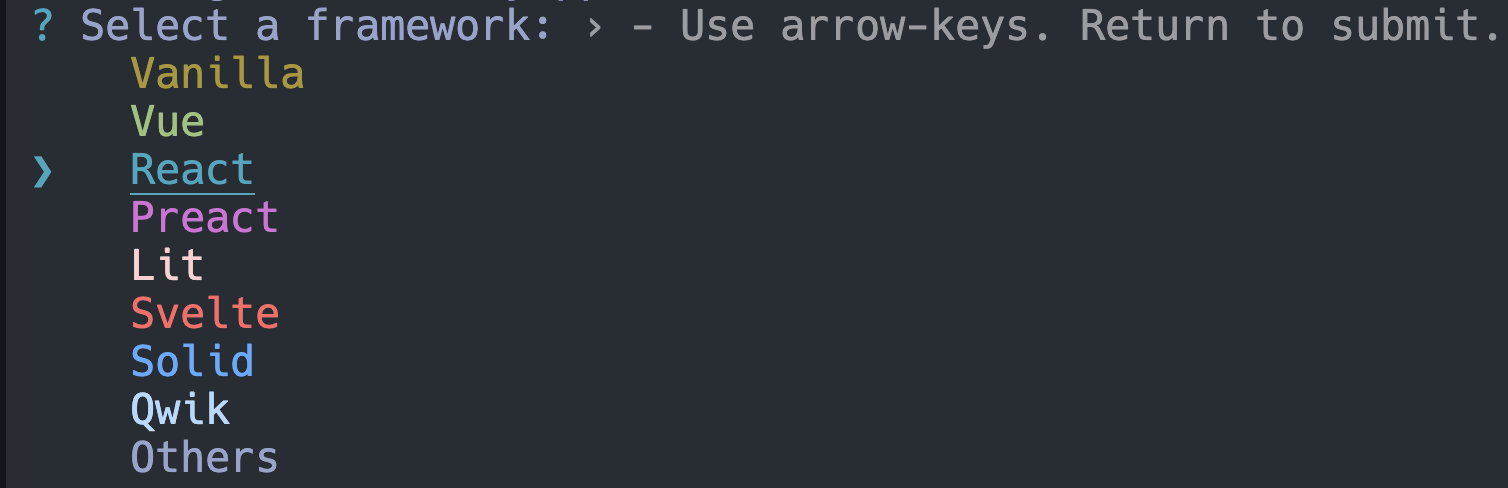
Choose React in select framework
Select a variant, eg: JavaScript

cd myApp, change working directory to project folder.npm install, to install dependencies.npm run dev, start the server at http://localhost:5173/.
React Components
React apps are made out of components. A component is a piece of the UI (user interface) that has its own logic and appearance.
React components are JavaScript functions that return markup.
function Btn() {
    return (
        <button>Click Here!</button>
    )
}

// nesting one react component into other
export default function myApp() {
    return (
        <div>
            <h1> Welcome to the Docs </h1>
            <Btn />
        </div>
    )
}
React components returns single JS tag, if there are more we need to wrap it around <>.......</> or a div <div>........</div>
In react, we specify CSS class with className <a className="meta-tag">Link</a>
Displaying data
JSX lets you put markup into JavaScript. Curly braces let you “escape back” into JavaScript so that you can embed some variable from your code and display it to the user.
function MyButton () {
    const handleClick = ()=> {
        alert("Button was clicked");
    }

    return (
        <button
           onClick = {MyButton}
        > Click Here </button>
    )
}
Updating Screen
We add state to our component to remember some information and display it.
import { useState } from 'react';

function MyBtn() {
    const [counter, setCounter] = useState(0);

    const updateCounter = ()=> {
        setCounter(counter+1);
        setCounter( (prevCounter) => {prevCounter+1});
    }
    r
    return (
        <button
        onClick={updateCounter}
        > Click Here to Update counter </button>
    )
}
Hooks
Functions starting with use are called hooks.
useState hooks take initial state as input and returns a variable and method to update the state of that variable.
for-eg: in const [counter, setCounter] = useState(0) ; 'counter' is a variable and 'setCounter' is a method (function) used to update the variable 'counter'.
Conclusion
In closing, React.js redefines UI development with its virtual DOM efficiency and straightforward project setup using tools like Create React App and Vite. Components, JSX, and hooks streamline the process, offering flexibility and scalability for dynamic interfaces.
This brief blog highlights React's potency, not just as a library but as a transformative paradigm in web development. Armed with reusable components and JSX, your React.js experience promises both innovation and efficiency.
Additional Resources
React docs - https://react.dev/learn
DOM reference - https://developer.mozilla.org/en-US/docs/Web/API/Document_Object_Model
Node.js docs - https://nodejs.org/docs/latest/api/
Vite docs - https://v4.vitejs.dev/


